
Google Business Profile for Senior Care Facilities: A Complete Guide
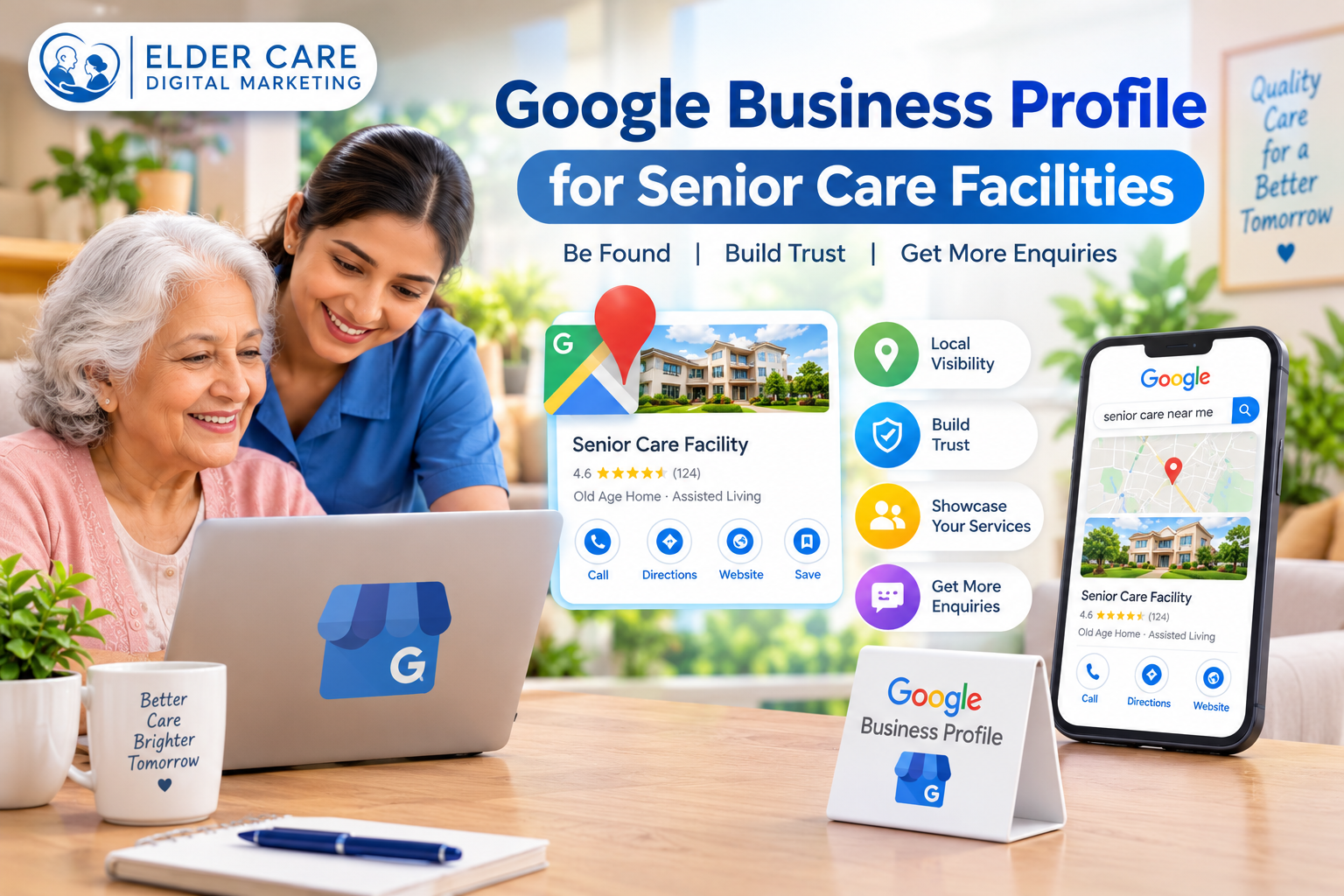
Google Business Profile helps senior care facilities improve local visibility, build trust with families, showcase their services, and generate more enquiries through Google Search and Maps.
Introduction
When families search online for an old age home, assisted living facility, or senior care service, they often want to find nearby options they can trust. They may look for facility photographs, contact details, directions, reviews, visiting hours, and information about available care services before making a decision. If your facility does not appear prominently in local search results, potential enquiries may go to other providers.
A well-maintained Google Business Profile can help senior care facilities improve their local visibility, share accurate business information, and make it easier for families to contact them. It provides an opportunity to introduce your services to people searching for care options in their area.
For facilities operating in competitive locations such as Mumbai and Thane, combining profile optimisation with a broader digital marketing strategy for senior care businesses can help create a more consistent online presence and support enquiry generation.
What Is Google Business Profile for Senior Care Facilities?
Google Business Profile is a free Google tool that allows eligible businesses and organisations to manage how their information appears on Google Search and Google Maps.
For senior care providers, the profile can display important details such as the facility’s name, address, telephone number, website, business hours, photographs, reviews, and available services.
When a family searches for an old age home nearby, an accurate profile can help them understand whether your facility is relevant to their requirements and how to contact you.
For example, a family looking for senior accommodation in Thane may want to compare locations, read customer reviews, view photographs, and call a facility to ask about admission procedures. A complete profile makes these initial steps easier.
However, creating a profile does not guarantee first-page rankings or a particular number of enquiries. Visibility depends on several factors, including relevance, distance, prominence, competition, and the accuracy and quality of your online information.
Why Is Google Business Profile Important for Senior Care Facilities?
1. Improve Local Search Visibility
Many families begin their search with location-specific phrases such as “old age home in Mumbai,” “senior care facility in Thane,” or “assisted living near me.”
A properly maintained profile can help your facility appear for relevant local searches when Google’s systems determine that it is a suitable result.
Use accurate business information and select the most appropriate primary business category available. Add relevant secondary categories only when they genuinely describe your organisation.
Avoid adding unnecessary keywords to your business name. Your profile name should reflect your real-world business name rather than a list of search terms.
2. Build Trust With Families
Choosing a senior care facility is an important decision. Families often want to understand the environment, available services, staff approach, and general experience before arranging a visit.
Your Google Business Profile can help communicate this information through genuine photographs, accurate descriptions, and authentic reviews.
Show the actual premises, common areas, rooms, dining spaces, gardens, accessibility features, and activities where appropriate. Obtain the necessary consent before publishing identifiable photographs of residents or staff.
Clear, factual information gives families a better understanding of what your facility offers without relying on exaggerated marketing claims.
3. Make Contact Easier
Families should not have to search through several pages to find your telephone number, address, or website.
Ensure that your contact details are correct and consistent. If your facility accepts visits by appointment, explain the process on your website and respond promptly to enquiries.
Your profile can become an important starting point for people who want directions, need to call, or wish to learn more about your services.
4. Understand Customer Feedback
Reviews can help families understand other customers’ experiences and identify the questions they should ask before choosing a facility.
They can also help your organisation identify areas where communication, service information, or the customer experience could improve.
Respond professionally to positive and negative feedback. Never reveal a resident’s personal information or discuss confidential care arrangements in a public response.
How to Set Up a Google Business Profile for a Senior Care Facility
Step 1: Check Your Eligibility
Before creating a profile, confirm that your organisation meets Google’s current eligibility requirements.
Businesses generally need meaningful in-person contact with customers during their stated operating hours to qualify. A senior care facility that operates at a real physical location and serves residents or families in person may be eligible, depending on its circumstances.
If you manage a service-area business, follow Google’s applicable rules for displaying or hiding its address. Do not create multiple profiles for the same business at the same location simply to target different keywords.
Start by reviewing the official Google Business Profile guidelines so your setup follows the platform’s requirements.
Step 2: Enter Your Business Name Correctly
Use the name your organisation uses in the real world, including on its signage and official materials.
For example, if your facility is called “Sunrise Senior Care Home,” do not rename it “Best Old Age Home in Mumbai Affordable Senior Care” merely to include more keywords.
Adding unnecessary keywords to a business name can violate Google’s guidelines and may lead to profile issues.
Keep the name consistent across your website, signage, and other business listings.
Step 3: Select the Right Business Category
Your primary category helps Google understand the nature of your organisation.
Choose the closest available category that accurately represents your actual operation. Depending on the services offered and the categories available, this may relate to retirement communities, assisted living facilities, nursing homes, or another relevant care category.
Do not select a medical or nursing category if your facility does not provide the corresponding services.
You can add secondary categories when appropriate, but relevance is more important than adding as many categories as possible.
Step 4: Verify Your Business
Google may require verification to confirm that you are authorised to manage the profile.
Follow the verification method offered in your account and provide accurate information. Depending on Google’s process, verification options may vary.
Complete any requested steps and keep your business details up to date. If verification fails, use the support options available through your profile rather than creating duplicate listings.
Step 5: Complete Your Contact Information
Review every important field carefully.
Your profile should include:
Correct business name.
Accurate physical address, where eligible.
Primary telephone number.
Official website.
Appropriate operating hours.
Relevant business categories.
Accurate service information.
Make sure the information matches the details on your website and other established business listings. If your telephone number or address changes, update your profile promptly.
Best Practices for Optimising Google Business Profile for Senior Care
1. Write a Clear Business Description
Your business description should explain who you are, what services you provide, and which locations you serve.
For example:
“Our senior care facility provides residential accommodation and daily living support for older adults. We offer a welcoming environment, organised activities, and assistance according to the services available at our facility. Families can contact our team to learn about accommodation options, admission procedures, and visiting arrangements.”
Customise this example to reflect your actual services. Do not claim to provide medical supervision, specialised dementia care, or nursing services unless those services are genuinely available.
Avoid excessive keyword repetition, promotional gimmicks, and unsupported claims about being the best facility in the area.
2. Upload Genuine and High-Quality Photographs
Photographs help families form an initial impression of your facility.
Consider adding clear images of:
The exterior and entrance.
Bedrooms and accommodation options.
Dining and common areas.
Gardens and accessible spaces.
Activity rooms and recreational facilities.
Reception areas and other relevant amenities.
Use recent images that accurately represent the premises. Avoid stock photographs that could mislead visitors about your actual facilities.
Where photographs include residents, staff, or visitors, obtain appropriate permission and protect their privacy.
3. Collect Genuine Customer Reviews
Reviews are an important source of feedback and can help prospective customers evaluate your organisation.
Create a simple process for inviting families or customers to share honest feedback after an appropriate interaction with your facility.
You can share Google’s review link through a follow-up message or email, provided you follow the platform’s current policies.
Never purchase reviews, create fake accounts, offer incentives in exchange for reviews, or ask only satisfied customers to post feedback. Do not pressure families to leave positive comments.
Respond to reviews in a respectful and professional manner. A simple response that thanks the reviewer and acknowledges their feedback can demonstrate that your organisation values communication.
4. Keep Business Hours Updated
Incorrect hours can cause frustration when families attempt to call or visit your facility.
Update your profile when regular operating hours change and add special hours for relevant holidays when applicable.
If admissions, office consultations, and residential operations follow different schedules, explain the arrangements clearly on your website and in appropriate profile fields.
Do not imply that your facility is available for walk-in visits at all times if visitors must arrange an appointment.
5. Publish Useful Google Business Profile Updates
Where Google Business Profile posts are available for your profile, use them to share relevant updates with prospective customers.
Examples include:
Information about a facility tour.
Updates about new amenities.
Details about upcoming family information sessions.
General information about admission procedures.
Educational resources for families comparing care options.
Keep every update factual and current. Avoid sharing confidential resident information or using fear-based messages to persuade families.
You can also support these updates with a consistent social media marketing strategy for old age homes so that your website and social profiles communicate consistent information.
6. Add Relevant Services
If your profile supports service listings, use them to describe the services your organisation actually provides.
Depending on your facility, relevant services might include residential accommodation, daily living assistance, meal arrangements, recreational activities, or other legitimate offerings.
Explain each service clearly and avoid suggesting that every resident receives the same level of support if individual arrangements vary.
Your website should provide more detailed information about eligibility, fees, admission requirements, and the specific services available.
How Local SEO Supports Google Business Profile
Google Business Profile is only one part of local search visibility. Your website and other online information can help reinforce what your profile communicates.
Create useful pages for your actual services and locations, maintain consistent contact information, and make your website easy to navigate on mobile devices.
For example, a senior care provider serving Mumbai and Thane may need distinct pages explaining the services available in each location, provided those pages offer genuinely useful and accurate information.
Avoid creating many nearly identical pages that simply replace one city name with another. Each page should help visitors understand the relevant service and location.
A coordinated local SEO strategy for old age homes in Mumbai can help align your business profile, website content, and local business information.
How to Generate More Enquiries From Your Profile
A profile visit is not the same as a qualified enquiry. Your goal should be to help relevant families take a useful next step.
Make the Next Step Clear
Ensure that your profile links to the most relevant page on your website. If a visitor needs information about residential care, the destination should explain that service rather than requiring them to search through unrelated pages.
Display a clear telephone number and make contact options easy to find.
Create a Helpful Website Experience
When families click through to your website, they should be able to understand your services, location, accommodation, admission process, and contact options.
Keep forms simple and request only the information needed to respond. Avoid collecting sensitive personal or medical information through general marketing forms unless you have an appropriate, secure process for doing so.
Use Paid Advertising When Appropriate
A Google Business Profile can support local discovery, but it is not a substitute for every other marketing channel.
Facilities looking to reach more prospective customers may consider paid advertising, depending on their budget, eligibility, and business objectives. Social advertising can also help introduce services to relevant audiences.
For example, Meta Ads for old age homes in Mumbai may complement local search activity by promoting facility information, consultations, or visits.
Use accurate advertising messages and follow the relevant platform policies, particularly where healthcare-related services and sensitive personal information are involved.
How to Measure Google Business Profile Performance
Review your profile’s available performance data regularly. Depending on the reporting options available, you may be able to assess how people discover your business and which interactions they take.
Monitor relevant metrics such as:
Searches that lead people to your profile.
Profile views and other available visibility indicators.
Website clicks.
Calls and other available contact interactions.
Requests for directions.
Enquiries that result in scheduled visits.
Qualified enquiries and admissions, where applicable.
Compare performance over time instead of judging results from a single week. Consider seasonal demand, changes in competition, profile updates, and the quality of the enquiries received.
Keep a separate record of calls, website enquiries, and scheduled visits where practical. This helps you understand whether online visibility is contributing to meaningful business outcomes.
Remember that a phone call or website click does not automatically represent a new customer. Measure actual enquiries and outcomes wherever possible.
Common Google Business Profile Mistakes to Avoid
Senior care facilities should avoid several common errors when managing their profiles.
Keyword stuffing: Do not add search terms to the business name when they are not part of its real-world name.
Incorrect categories: Choose categories that genuinely describe your facility and services.
Duplicate profiles: Do not create multiple listings for the same business and location without a legitimate reason permitted by Google’s rules.
Fake reviews: Never purchase reviews or manipulate customer feedback.
Outdated photographs: Replace images that no longer represent the actual facility.
Incorrect contact details: Check telephone numbers, addresses, website links, and operating hours regularly.
Ignoring reviews: Respond professionally and protect customer privacy when addressing complaints.
Unrealistic promises: Avoid guaranteeing rankings, admissions, or a specific number of enquiries from profile optimisation alone.
Conclusion
Google Business Profile for senior care facilities is a practical way to help families discover relevant services, access accurate business information, and contact care providers more easily. A complete profile, genuine photographs, honest reviews, and consistent updates can strengthen your organisation’s local online presence.
For the best results, treat your profile as part of a broader marketing strategy that includes a helpful website, local SEO, social media, and a reliable enquiry-handling process.
If you want to improve your senior care facility’s online visibility, review your existing profile, correct missing information, and identify the improvements most relevant to your location and services.
To discuss your requirements, contact the digital marketing team for senior care facilities and explore a practical approach to improving your online presence.


Frequently Asked Questions
1. Is Google Business Profile free for senior care facilities?
Yes. Creating and managing a standard Google Business Profile is free. Your organisation may still need to invest in website improvements, professional photographs, advertising, or marketing support.
2. How can an old age home appear on Google Maps?
An eligible facility can create or claim its Google Business Profile, complete the required information, and follow Google’s verification process. Local visibility is not guaranteed and depends on several factors.
3. What category should a senior care facility choose?
Choose the closest available primary category that accurately represents your actual operation. The appropriate category depends on whether you provide residential care, assisted living, nursing services, or another type of senior support.
4. Do Google reviews help senior care facilities?
Reviews can help families understand other customers’ experiences and may contribute to a business’s prominence in local search. They should always be genuine and collected in accordance with Google’s policies.
5. How often should a Google Business Profile be updated?
Review the profile regularly and update it whenever important information changes. Publish useful updates when there is something relevant to communicate, and ensure photographs, hours, and contact details remain accurate.
6. Can Google Business Profile generate admission enquiries?
It can help families discover your facility and contact your team. Actual enquiries and admissions depend on factors such as location, service suitability, reputation, pricing, availability, and follow-up.
7. Can a senior care facility manage its own profile?
Yes. An authorised representative can manage the profile directly. Facilities with limited time or multiple marketing needs may also choose professional support for ongoing optimisation and reporting.
8. Is Google Business Profile enough for senior care marketing?
No. It is a useful local marketing tool, but a professional website, local SEO, informative content, social media, and appropriate advertising can provide additional ways for families to discover and evaluate your services.
Related Posts
-
 How to Increase Admissions in Old Age Homes: 10 Proven Strategies
-
 Facebook Ads for Old Age Homes in Mumbai: A Complete Guide
-
 Google Business Profile for Senior Care Facilities: A Complete Guide
-
 Digital Marketing for Senior Care: Strategies to Grow Your Business
-
 How Social Media Builds Trust for Senior Care
3 Responses